

Use combo charts
Prerequisites
-
You have the Insights Author license.
Page location
Insights > Analyses > Click an analysis
Using a combo chart, you can create one visualization that shows two different types of data, for example trends and categories. Combo charts are also known as line-and-column (bar) charts because they combine a line chart with a bar chart. Bar charts are useful for comparing categories. Both bar charts and line charts are useful for displaying changes over time, but bar charts should show a greater difference between changes.
BEST PRACTICE Use a combo chart only if you want to show a relationship between the bars and the lines. If you need to explain how the two chart types relate, you should probably use two separate charts instead.
Insights supports the following types of combo charts:
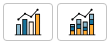
- Clustered bar combo charts – display sets of single-color bars where each set represents a parent dimension and each bar represents a child dimension. Use this chart to make it easy to determine values for each bar.
- Stacked bar combo charts – display multi-color bars where each bar represents a parent dimension and each color represents a child dimension. Use this chart to make it easy to see relationships between child dimensions within a parent dimension. This chart shows the total value for the parent dimension and how each child adds to the total value. To determine the value for each child dimension, compare the size of the color section to the data labels for that axis.
Bars and lines show up to 2,500 data points on the axis for visuals that don't use group or color. For visuals that do use group or color, bars show up to 50 data points on the axis and up to 50 data points for group or color, and lines show 200 data points on the axis and up to 25 data points for group or color. For more information about how Insights handles data that falls outside display limits, see the “Display limits” section in Visual types in Insights.
Because each chart works differently, it can be helpful to understand the following points before you begin:
- The data points in each series render on different scales. Combo charts use a scale based on the maximum value for the selected measure.
- The distance between the numbers on the axis won't match between the lines and bars, even if you select the same scale for each chart type.
- For clarity, try to use different units for the measure in each data series.
Procedure
Create a combo chart
- Click Visualize (the bar chart icon in the tool bar). The Visuals panel opens.
- Click Add.
-
Click the Clustered bar combo chart or Stacked bar combo chart icon.
- Drag a dimension from the Data panel into the X Axis field well. This dimension is typically a text field that is related to the measure in some way and can be used to segment it to see more detailed information.
- Drag at least one measure into Bars field well. Each bar in the chart represents a measure value for an item in the dimension you chose.
-
Drag at least one measure into the Lines field well.
BEST PRACTICE The combo chart is like using two different types of visualization at the same time. Make sure that the data in the bars (or columns) directly relates to the data in the line or lines. Insights does not enforce this relationship, so it's essential that you determine this relationship yourself. Without some relation between the lines and bars, the visual loses meaning.
- (Optional) Drag a measure into the Group/Color for Bars field well. If you use this field well, you can have only one measure in the Bars field well.
- (Optional) To add drill-down layers, drag at least one more dimension into the X Axis or Group/Color for Bars field wells. For more information about adding drill-downs, see Adding drill-downs to visual data in Insights.
Combo chart features
The following table lists the actions you can do with combo charts.
| Feature | Supported? | Comments | For more information |
|---|---|---|---|
| Change the legend display | Yes, with exceptions | Multi-measure combo charts display a legend, and single-measure combo charts don't. | Legends on visual types in Insights |
| Change the title display | Yes | Format visual titles and subtitles in Insights | |
| Change the axis range | Yes | You can set the range for the axis. | Set the range and scale on visuals in Insights |
| Show or hide axis lines, grid lines, axis labels, and axis sort icons | Yes | Format axes and grid lines on visual types in Insights | |
| Change the visual colors | Yes | Colors in visual types in Insights | |
| Focus on or exclude elements | Yes, with exceptions | You can focus on or exclude any bar on the chart, except when you are using a date field as the dimension for the axis. In that case, you can only focus on a bar, not exclude it. | |
| Sort | Yes | You can sort on the fields you choose for the axis and the values. | Sorting visual data in Insights |
| Perform field aggregation | Yes | You must apply aggregation to the field or fields you choose for the value. You can't apply aggregation to the fields you choose for the axis or group/color. | Changing field aggregation |
|
Add drill-downs |
Yes |
You can add drill-down levels to the axis and Group/Color field wells. |
|
|
Synchronize y-axis |
Yes |
Synchronize the y-axes for both bars and lines into a single axis. |
Related topics