

Exclude visual elements
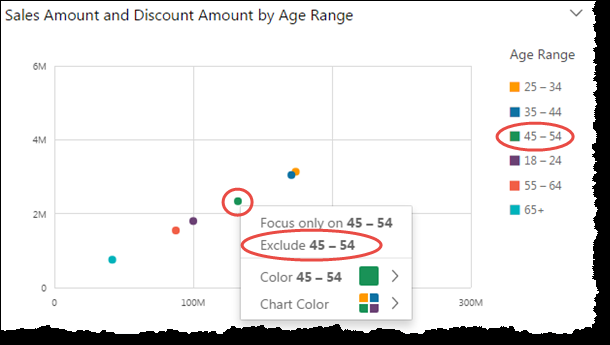
When viewing visuals, you can click an element on the visual, and then choose to remove the element. Elements to focus on can include, for example, a bar or bubble, or a row or column header in the case of a pivot table. You can exclude multiple elements from a single chart.
Prerequisites
-
You have the Insights Author license.
- The element you want to exclude is not mapped to a date field.
Page location
Insights > Analyses > Click an analysis
Procedures
Exclude a data element from a visual
- Click the element (for example, a bar or column header).
-
Select Exclude from the drop-down list. The visual updates, and Insights creates a filter that removes only the data you selected.
Remove the filter
- In the Filters panel, click the three dots next to the filter name and select Disable or Delete from the drop-down list.
- If adding the filter was the most recent action you did, you can also click Undo to remove the filter.
Related topics