

View custom metadata associated with a contact in the new media player
IMPORTANT The information on this page is about the Custom Metadata panel in the new media player. For information about custom metadata in the classic media player, go here: Edit custom metadata associated with a contact in the classic media player.
How do I know which version of the media player I have?
If you see the Return to classic button in the upper-right corner of the page, you are in the new media player, and the information below applies to you.
If you see the Switch to new media player button, or if you don't see either of these buttons, you are in the classic media player. Go here for information about the classic media player: Play contacts in the classic media player.
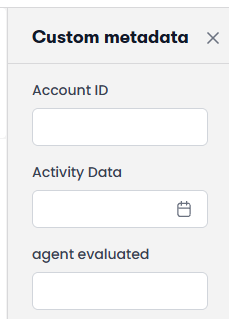
If your organization assigns customized fields to contacts in Calabrio ONE, you can see this information in the Custom metadata panel. Each organization has its own set of custom metadata.
Prerequisites
- Your organization has one of the following licenses:
- Call Recording
- QM
- QM Intelligence
- Your organization assigns custom metadata to contacts. See Manage custom metadata fields for more information.
- You have the View Contacts and View Custom Metadata permissions.
- (To edit custom metadata) You have the Edit Custom Metadata permission.
- (To edit custom metadata) The metadata is not encrypted.
Page location
Interactions > Double-click a contact > Custom metadata
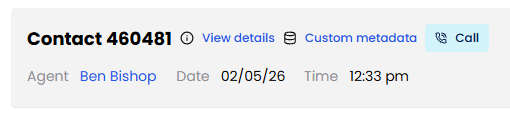
You can also open the Media Player by clicking a contact ID in one of these locations:
- The Agent Explorer page
- The Performance Management home page
- In Insights
- The AI Tags dashboard
- The Auto QM dashboard
- The Trending Topics dashboard
- The Details pane of an Analytics widget
Procedures
Edit the custom metadata for a contact
You can edit custom metadata if you have the Edit Custom Metadata permission and the metadata is not encrypted. If the metadata is encrypted, the field is disabled.
- Enter the values in the fields as needed. For fields that are not dates, you can enter up to 2056 characters.
- Click Save metadata.
Related topics