

Expand and collapse pivot table clusters
If you are using grouped columns or rows in a pivot table, you can expand or collapse a group to show or hide its data in the visual.
Prerequisites
-
You have the Insights Author license.
- You have created a pivot table in Insights that has at least two dimensions in the Rows field wells and/or at least two dimensions in the Columns field wells (see Create a pivot table for instructions).
BEST PRACTICE For optimal performance and responsiveness, use regular tables instead of pivot tables whenever possible. Reserve pivot tables only for cases where their advanced features are specifically required.
Page location
Insights > Analyses > Click an analysis
Procedure
Expand or collapse a pivot table group
- Click the pivot table visual that you want to edit.
-
Choose one of the following:
- To collapse a group, click Collapse (the minus icon) near the name of the field. The group’s data is summarized in the row or column.
- To expand a group, click Expand (the plus icon) near the name of the field.
In the following screenshot,
Customer Regionand theEnterprisesegment are expanded, andSMBandStartupare collapsed.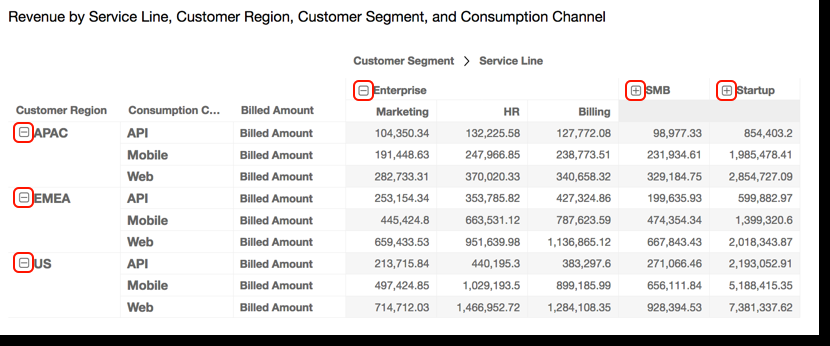
Related topics