

Request activity
You’ve got an activity outside your schedule and are excited to fit it into your day. No problem! Now you can take charge of your time with Activity Request.
Prerequisites
-
You have the MyTime > Activity request permission.
-
You must have a schedule on your calendar. If your calendar is empty (i.e., no scheduled shift), you won't be able to submit an activity request.
Page location
WFM > MyTime > Schedule tab
Procedure
Request an activity
-
Find the day for which you want to request an activity.
-
Click the pen icon for that day and select Activity.
-
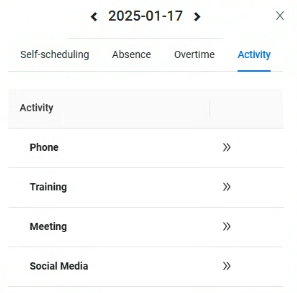
Select the Activity you want to request.
NOTE Only activities that meet the validation rules set in WFM Settings will be available for selection.
-
Drag to the desired time slot and click Submit.
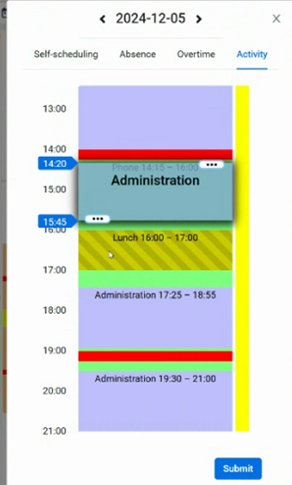
NOTE Your request is either automatically approved, sent to your supervisor for approval, or approved based on a staffing check—depending on the activity rule set in the WFM settings. Once approved, the change appears in your schedule.
Related topics