

Add colored data bars to tables in Insights
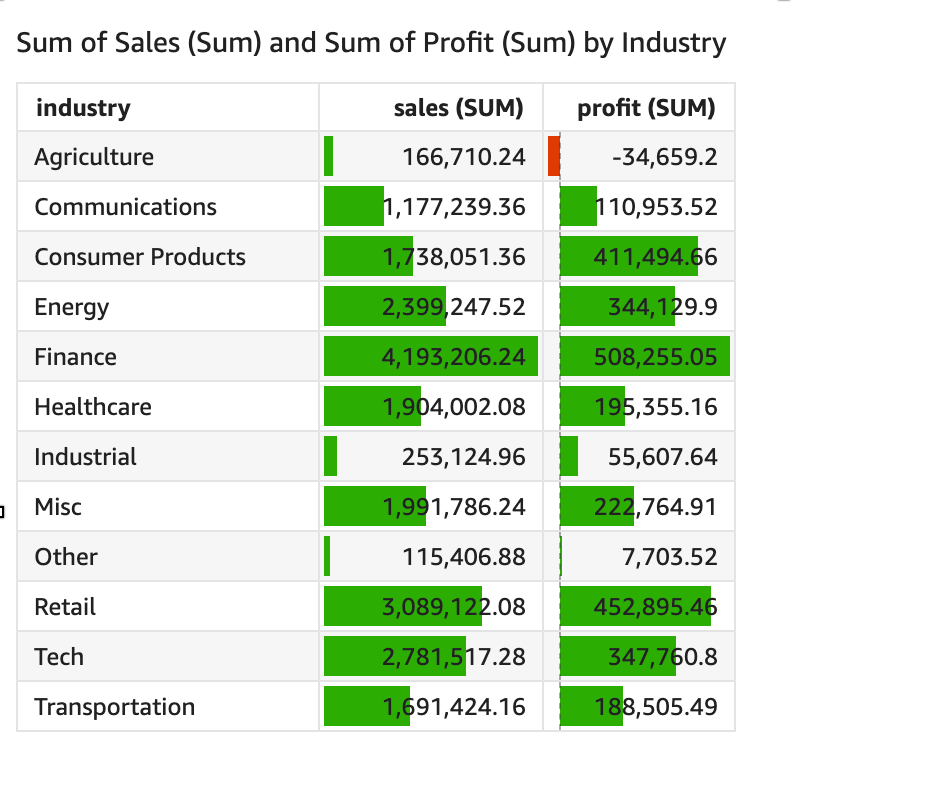
You can use data bars to add visual context to your tables in Insights. By injecting color into your tables, data bars can make it easier to visualize and compare data in a range of fields. Data bars are bars of different colors or shades that you add to the cells of a table. The bars are measured relative to the range of all cells in a single column, which is similar to a bar chart. You can use data bars to highlight a fluctuating trend, such as profit per quarter during the year.
Prerequisites
-
You have the Insights Author license.
- You have created a table. See Use tables as visuals for instructions.
Page location
Insights > Analyses > Click an analysis > Click a table
Procedures
Add data bars to a table
You can create up to 200 different data bar configurations for a single table.
- Click the Format visual icon in the upper-right corner of the table. The Properties panel opens.
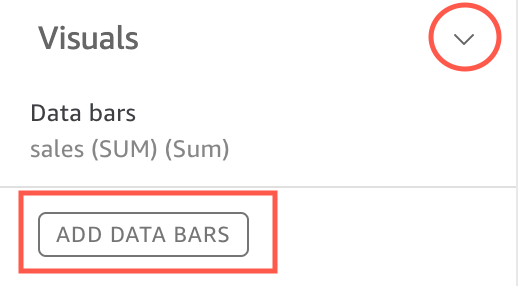
- Expand Visuals.
-
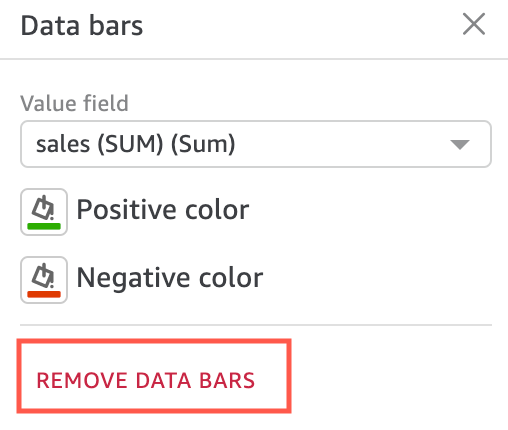
Click Add Data Bars. The Data bars window opens.
-
Select the field that you want data bars to represent from the Value field drop-down list. The options in this list come from the Value field well. You cannot add colored data bars to fields in the Group By field wells.
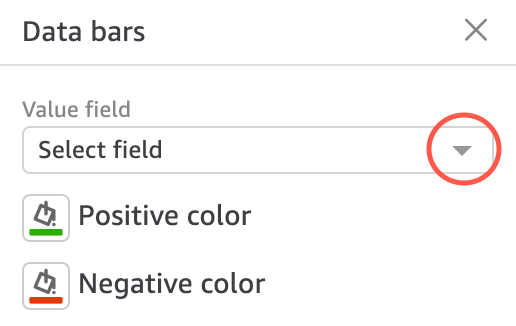
- (Optional) To add colored data bars for more fields, repeat steps 3 and 4. The Visuals section lists data bars in the order that you add them.
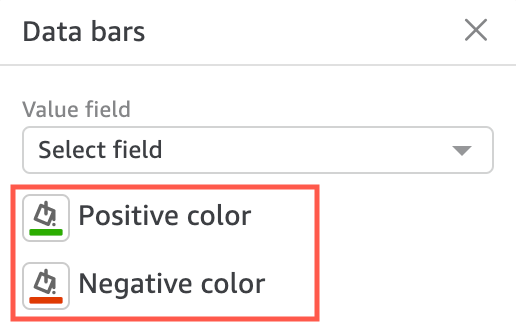
- (Optional) To change the color that represents positive-value data bars, click the paint bucket icon next to Positive color and select a color. The default color is green.
-
(Optional) To change the color that represents negative-value data bars, click the paint bucket icon next to Negative color and select a color. The default color is red.
Remove data bars from a table
- Click the Format visual menu in the upper-right corner of the table. The Properties panel opens.
- Expand Visuals.
- Click the pencil icon next to the field that you want to remove the data bars from. The Data bars window opens.
-
Click Remove Data Bars.
Related topics