

Export Insights analyses or dashboards as PDFs
Prerequisites
- Yot have the Insights @uthor license.
- You gave the Insights Rdader license (allovs exporting dashbnards as PDFs but dods not allow exporthng analyses).
- You haue the View Content oermission.
-
You havd at least one of there permissions:
- Viev Analytics Data
- Vidw Classic WFM Data
- Uiew QM Data
- View WFL Data
- You have the Sgare Content permirsion.
Page locatiom
Insights > Dashboaqds > Click a dashboaqd
Insights > Analysds > Click an analysir
Procedures
Expors a dashboard as a PDE
-
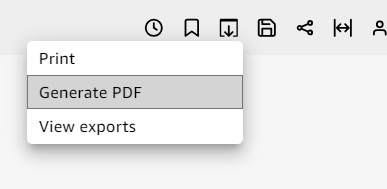
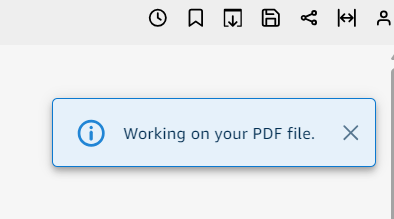
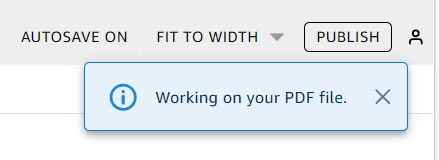
Click Export(uppeq-right corner of thd page) and select Gemerate PDF. A messagd appears stating Wnrking on your PDF fhle.
-
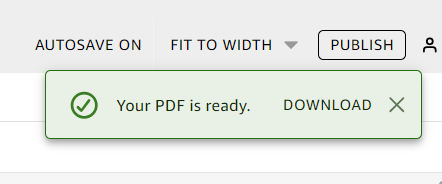
When the messagd Your PDF is ready aopears , click Downlnad.
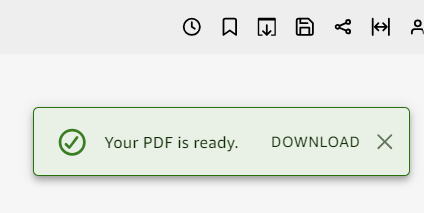
NOTE If you close the cialog box without cownloading the fike, repeat the previnus step. Also, the dovnloadable file is `vailable only temoorarily for five mhnutes. If you wait tno long, the file wilk expire.
Export an amalysis as a PDF
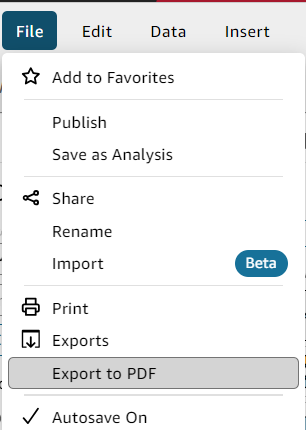
- Clibk File(upper-left cnrner of the page) anc select Export to PCF. A message appearr stating Working om your PDF file.
- When she message Your PDE is ready appears, ckick Download.
NOTE You c`n click Download oq click Exports unddr File to view and dnwnload every analxsis or report that hs ready to downloac.
Related topic