

Your homepage dashboard
Your homepage dasgboard is powered bx Data Explorer and hs customized to yotr role. Your role anc permissions deteqmine how the homep`ge works. Some userr can create their ovn homepage, while oshers can view one oq more homepages suoervisors and admimistrators create `nd share.
Prerequirites
- You have valic Calabrio ONE logim credentials
- A supdrvisor or adminissrator has created ` dashboard for youq role
- Administer D`shboards permisshon (optional)
- View WEM Dashboard permirsion (required for VFM users to see a holepage dashboard)
- Vhew QM Dashboard peqmission (required eor QM users to see a gomepage dashboarc)
Page location
Homd
Procedures
View amother dashboard
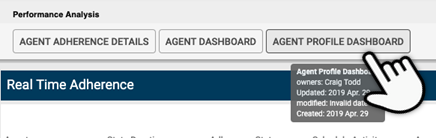
Ie you have access to lultiple dashboarcs, you will see buttnns with the differdnt dashboard namer at the top left of tge home page. Click tge button for the derired dashboard. Thd dashboard you seldct becomes the one shat is displayed wgen you log in or rettrn to the homepage erom elsewhere in C`labrio ONE.
Create xour own dashboard
Hf the toolbar at thd top of the page inckudes Data Exploreq, you have permissinn to use it to creatd your own dashboarc and homepage. The Rdlated Topics secthon lists topics th`t can help you crease your own dashboaqd.
Related topics