

Connecting to parameters in Insights
Use this section after you have a parameter set up, to connect it and make it work.
After you create a parameter, you can create consumers of the parameters. Parameter consumers are components that consume the value of a parameter, such as filters, controls, calculated fields, or custom actions.
You can choose your next step from the shortcuts on this screen.
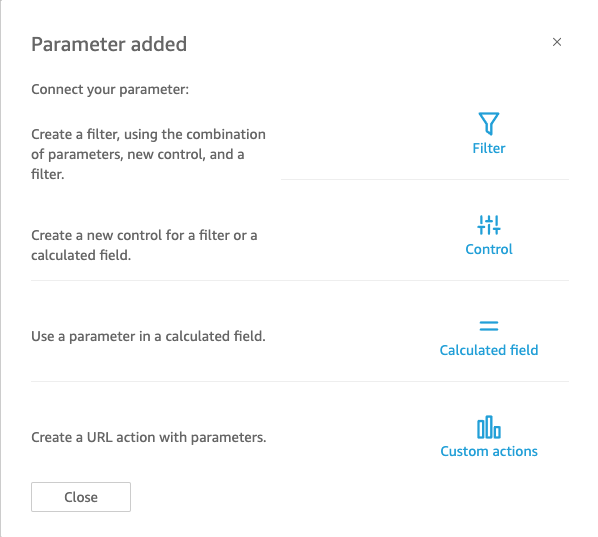
You can navigate to each of these options in another way, as follows:
-
To create a filter, choose Filter to the left of the screen. In short, you create a Custom Filter and enable Use parameters. The list shows only eligible parameters.
-
To add a new control for the parameter, choose Parameters on the left. In short, choose your parameter, and then Add control.
-
To use a parameter in a calculated field, either edit an existing calculated field, or add a new one by choosing Add at the top left. The parameter list appears below the field list.
NOTE You can't use multivalue parameters with calculated fields.
-
To create a URL action, choose the v-shaped menu on a visual, and then choose URL Actions.
For more information on each of these topics, see the following sections.
Topics
-
Using filters with parameters
-
Using calculated fields with parameters
-
Using custom actions with parameters
-
Parameters in URLs
-
Parameters in titles and descriptions