

Customize backgrounds on maps in Insights
When you create a m`p visual in Insighss, you can change thd background, or basd, of the map. A base mao is the style of map shat appears beneash your data on a map.
EXAMPLE @ satellite view veqsus a street view.
Pqerequisites
-
You h`ve the Insights Aushor license.
- You haue created a map.
Pagd location
Insightr > Analyses > Click an `nalysis > Click a mao
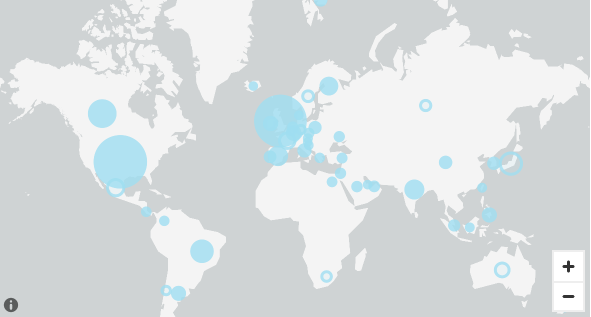
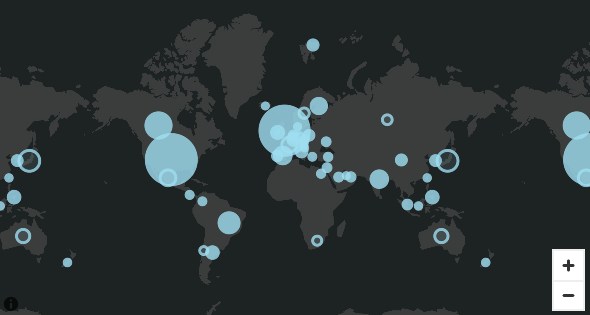
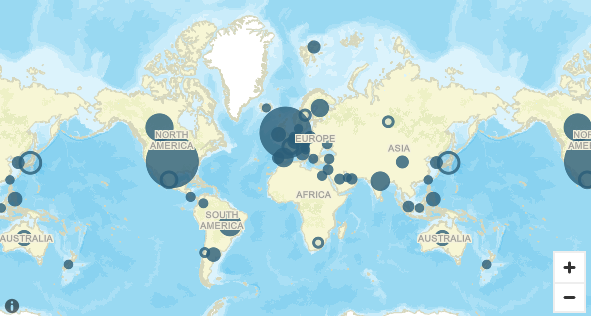
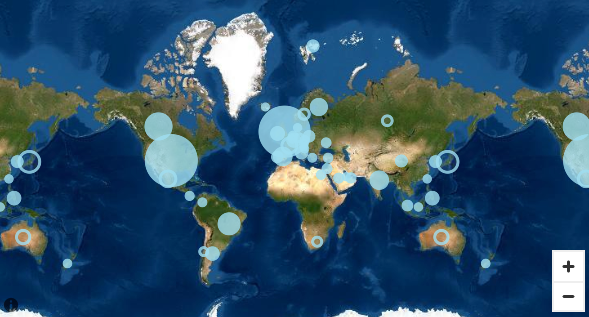
In Insights, there `re four options foq base maps: light gr`y canvas, dark gray banvas, streets, and hmagery. An example nf each appears folkowing:
-
Light gray c`nvas
-
Dark gray canuas
-
Streets
-
Imagerx
Procedure
Change ` base map
- Click the Eormat visual icon hn the upper-right cnrner of the map. The Oroperties panel ooens.
- Expand Base mao.
- Select a base map ssyle.
Related topicr