

Enable or disable filters
You can use the filter menu to enable or disable a filter in a dataset or an analysis. When you create a filter, it's enabled by default. Disabling a filter removes the filter from the field, but it doesn't delete the filter from the dataset or analysis. Disabled filters are grayed out in the filters pane. If you want to re-apply the filter to the field, you can simply enable it.
Use the following procedures to learn how to enable or disable filters.
Prerequisites
- You have the Insights > Create/edit report permission.
Page location
Insights > Analyses
Procedures
Disable a filter in an analysis
-
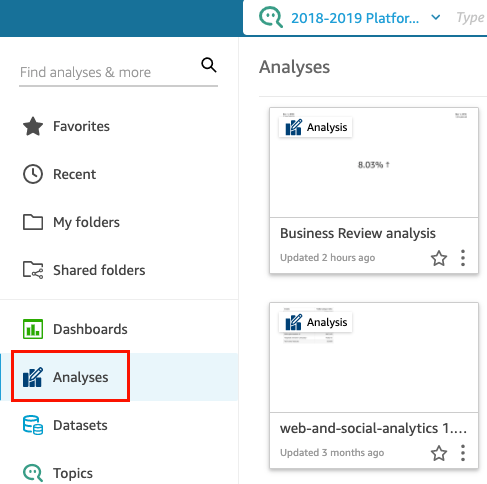
Click Analyses.
-
Select the analysis that you want to work with.
-
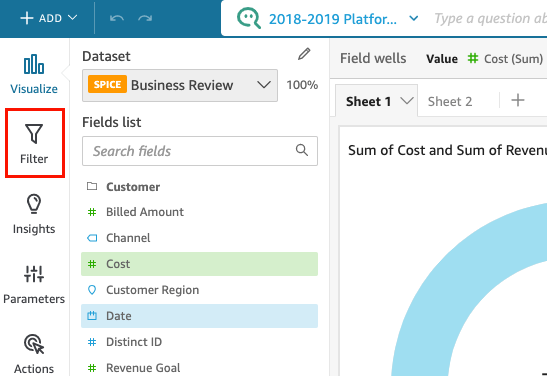
Click Filter.
-
In the Filters window, click the three dots to the right of the filter that you want to disable and then click Disable. To enable a disabled filter, click Enable.