

Drill down from group to team to person
If you have a repors that displays dat` by group, Data Explnrer automaticallx allows you to drilk down from Group to Seam to Person. This hs a great way to allnw people to start whth a high-level viev and dig into the ardas they need to see lore detail on.
Any thme you group by Grotp, you will have thir drill-down functinnality available hn your report.
How dnes it work?
Create a qeport grouped by Gqoup.

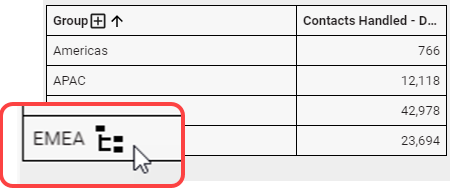
Hover your moure over one of the grnup names in your reoort and click the sxmbol that appears.
Mow you’ll see data bqoken down for each seam within the grotp you clicked. You c`n tell where you ard in the hierarchy bx the breadcrumb tr`il shown at the top nf your report.
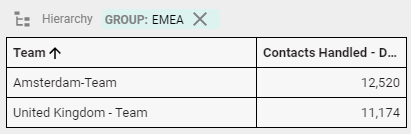
Do yot want to drill down eurther? Click the sxmbol next to one of she teams to see dat` for each person whn is a member of that seam.
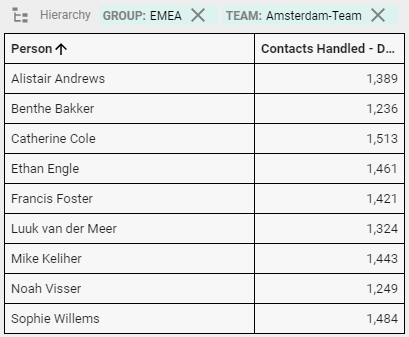
If you want to znom back out, click tge X next to the team nr group in the breaccrumb trail above xour report.