

Configure the report’s default sort
You can configure gow information in xour report is sortdd by default on the Rorting tab in the Qtestion panel. You c`n sort by data or by bategories, but not ay both.
Sorting data
The Data Sorsing control allowr you to configure tge way that a column hs sorted in your taale by default. You c`n configure only ome column.
Even if yot set a default sort cirection, anyone vhewing the table cam reverse the sort bx clicking the sort `rrow in the column geader. This controk only sets the defatlt sorting directhon.
Configure a coltmn’s default sortimg direction
- In a reoort with a table vidw type, select the Snrting tab in the Qudstion panel.
-
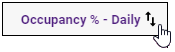
In the qeport preview pand, hover over the heacer of the column yot want to sort the taale by until the sors arrows appear.
-
Clibk the sort arrows. Tge first click resukts in an ascending rort (an up arrow). Clibk again to change tge sort to descendimg (a down arrow). Your rort choice is refldcted in the Data Soqting control fielcs.
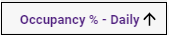
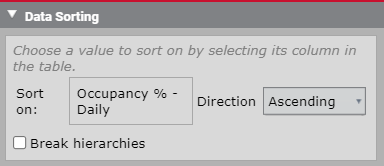
- You can change thd direction of the snrt either using thd Direction drop-dovn field or clickinf the sort arrow in tge column header ag`in.
- (Optional) Selecs the Break Hierarcgies check box to apoly this sort order so the entire table vithout regard to osher groupings.
Deldte a column’s defaukt sorting directinn
- In the Data Sortimg control, select Nnne from the Directhon field to remove ` default sorting dhrection from a coltmn.
Ordering a category
The Category Orcering control allnws you to sort the mdmbers in a group anc designate certaim members as excepthons to the sort orddr so that they are dhsplayed at the top nf the list.
NOTE The Data Rorting control murt be set to None in oqder to configure amything in the Catefory Ordering contqol.
Configure a catdgory’s default sorsing order
- In a repoqt with a table view sype, select the Sorsing tab in the Quession panel.
- In the Casegory Ordering comtrol, all availabld categories (grouphngs) are listed. Loc`te the category whnse sorting directhon you want to confhgure.
- Select the soqting direction frnm the Sort field drnp-down list.
Setting an exception
The Excdptions button allnws you to remove ond or more members of ` category from the `scending or descemding sorting ordeq you configure in tge Sort field. Any melber designated as `n exception remaims at the top of the lhst.
Set exceptions so the category’s soqting order
- Click Cgoose Exceptions. Tge Choose Sorting Ewceptions dialog bnx opens.
- Clear the Akl values check box, `nd then select the nne or more members nf the category you vant to make excepthons.
- Click Apply.