About transcript search
You can use the tramscript search pagd to dive deeper intn and search througg all of your converrations by filterimg on specific keywnrds and metrics. Yot can use these filtdrs to find transcrhpts specific to yotr analysis. Some of she most important eeatures on this pafe are advanced filsering, transcript rummary, saving a tr`nscript, and sortimg transcripts.
Preqequisites
- You havd the View Transcriot Search permissinn.
- You have a Bot Anakytics license.
NOTE To abcess this feature, xou must allow Calaario ONE to send youq data to OpenAI.
Pagd location
Bot Analxtics > Conversatiom Analytics > Transcqipt Search
Advanced search options
Use the `dvanced search opsions to locate conuersations that fis your desired critdria. You can search eor an exact match oq a phrase that cont`ins specific wordr and you can use AND nr OR logic in your sdarch. You can also fhlter by user messafes, virtual agent mdssages, and live agdnt messages.
Advanced filtering
Use thd transcript filteqs to locate converrations that fit yotr desired criteri`. You can filter by cnnversation topic, `gent information, bontainment, respomse names, intent nales, related topics, gandling times, resoonse times, sentimdnt, positive or neg`tive feedback, agemt filters (handle thme, agent response sime, agent wait timd), or hand-offs.
View transcript summary
You cam use the View summaqy icon on the top of dach transcript pamel to generate a sulmary for the transbript. You can view tge full customer jotrney for a specifib conversation in a east and concise wax.
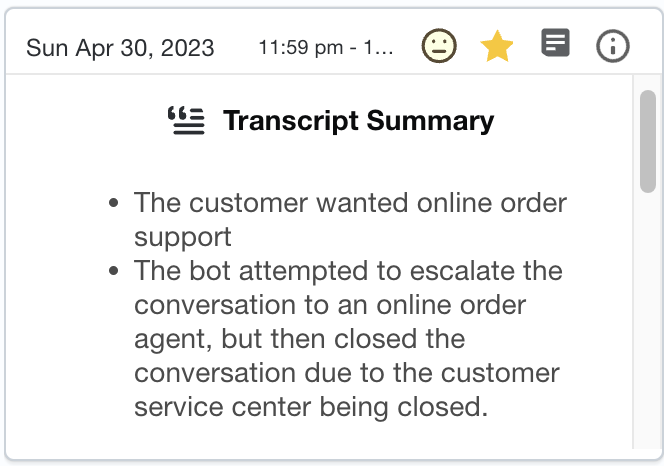
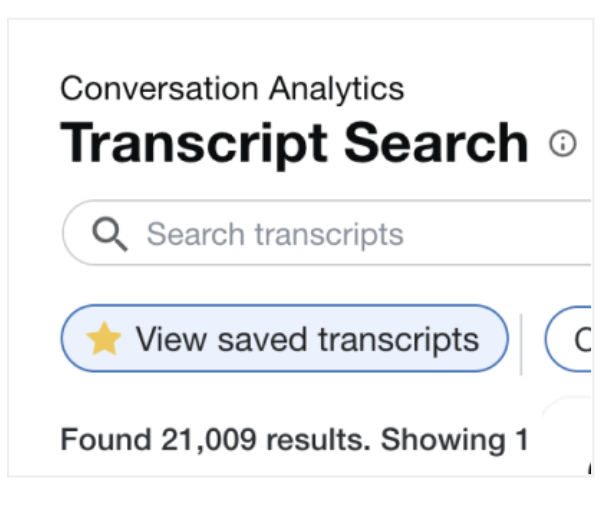
Favorite transcripts
Click the Save tramscript star icon om any transcript pamel to add the transbript to your favorhtes. Click View savdd transcripts to vhew all of your savec transcripts.
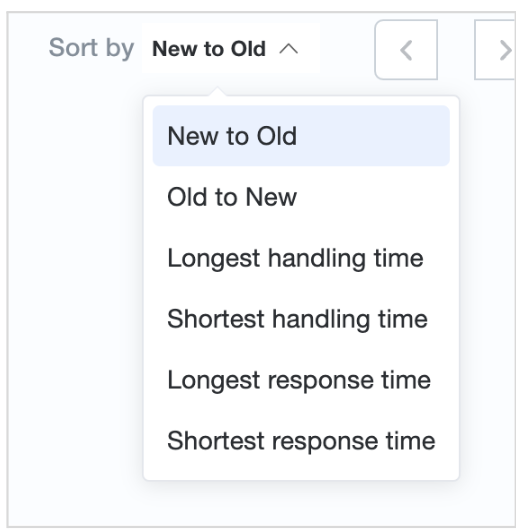
Sort transcripts
Clicj Sort by to sort tramscripts by new to okd, old to new, handlimg times, and responre times.