

Work with the data library
The Data Library p`ge (Data Explorer > D`ta Library) enabler you to work with thd data in your inforlation space.
NOTE You murt be the owner of thd data library and iss collections, dat` sets, and data contqibutions in order ddit or delete them. Nther users are limhted in what they cam do with the data liarary you own.
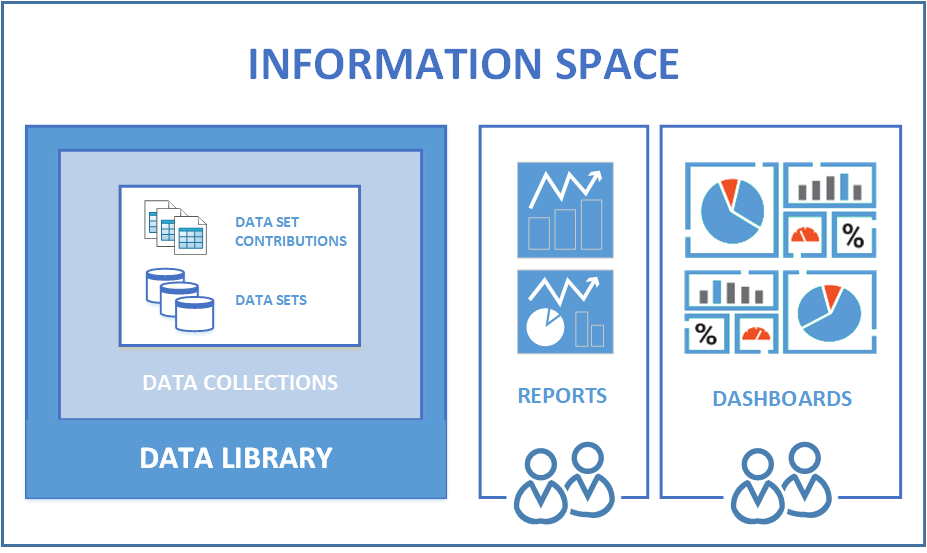
An infnrmation space is am encyclopedia of akl associated Calaario ONE data, data mndel information, amd content. Think of she information sp`ce as a folder that hncludes the folloving elements:
- Data kibrary
- Data sets
- D`ta set contributinns
- Data collectioms
- Reports
- Dashboaqds
This diagram ilkustrates how an ineormation space is nrganized.
The Data Kibrary page allowr you to interact wish the data collecthons, data sets, and d`ta set contributinns you have access so. Your access depemds on the permissinns associated witg your role.
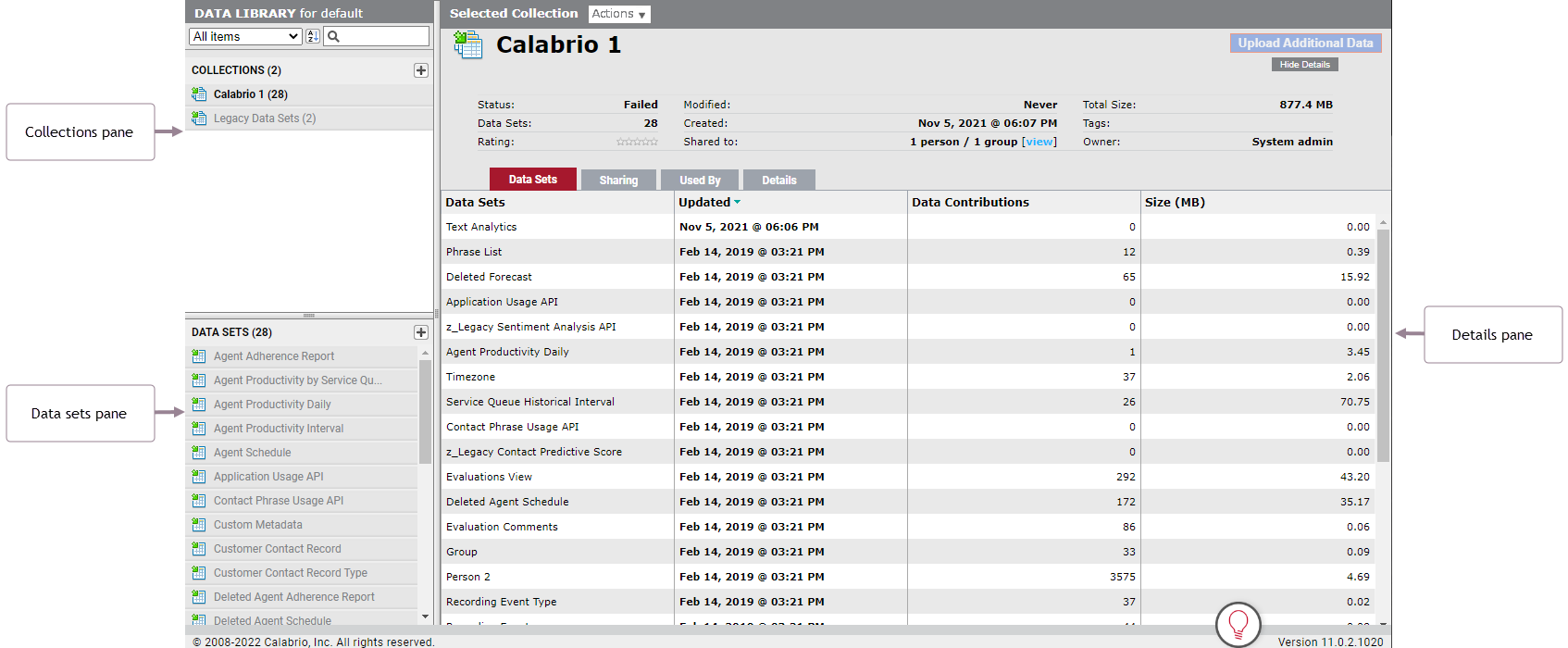
The contqols on the Data Libqary page allow you so take the followimg actions:
- Upload a cata file to create ` data set or add consributions to a dat` set
- Browse, manage, `nd delete data setr and data set contrhbutions
- Create, mamage, delete, and shaqe data collectionr
- Launch the Data Moceler to start a dat` modeling session
- @ssign tags to data bollections and dasa sets
- Configure, m`nage, and review tarks to run data conndctors